FA-5201 Web UI Manual
What you can set with 「FA-5201 Web UI」
Web UI helps you to set the following.
Use our "UniversalTuningTool" together with this Web UI.
- Ethernet communication setting using TCP/IP, SNTP, FTP, DHCP, MC Protocol.(*)
- RS-232C interface communication setting.(*)
- Setting related to input to the scanner and output from the scanner.(*)
- Setting related to saving images.(*)
- Browse images stored in the internal RAM and latest image.
- Initialize to factory settings.(*)
- Reboot(*)
- Firmware update(*)
Caution
To set the (*) marked settings, the web page will ask you to enter a user name and password.
| Initial user name | admin |
|---|---|
| Initial password | password Or the password that is given in the Quick Start Guide. |
Sidebar on the left side of the window --> Options --> Secruty
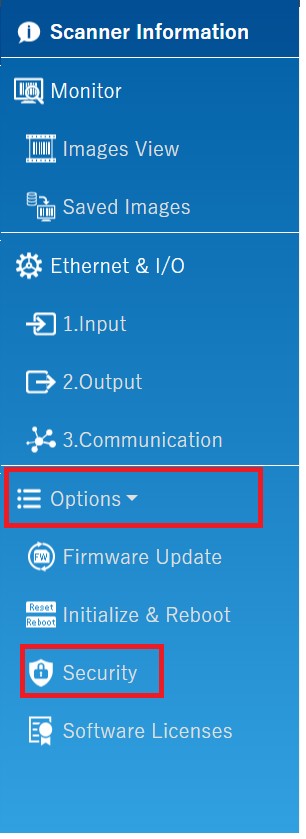
Click here for how to change the user name and password.
Access to FA-5201 Web UI
There are two ways to access the FA-5201 Web UI.
1. Access from our tool "UniversalTuningTool."
Access from our tool "UniversalTuningTool."
Click "Web Monitor / Ethernet I/O" in the UniversalTuningTool port select window.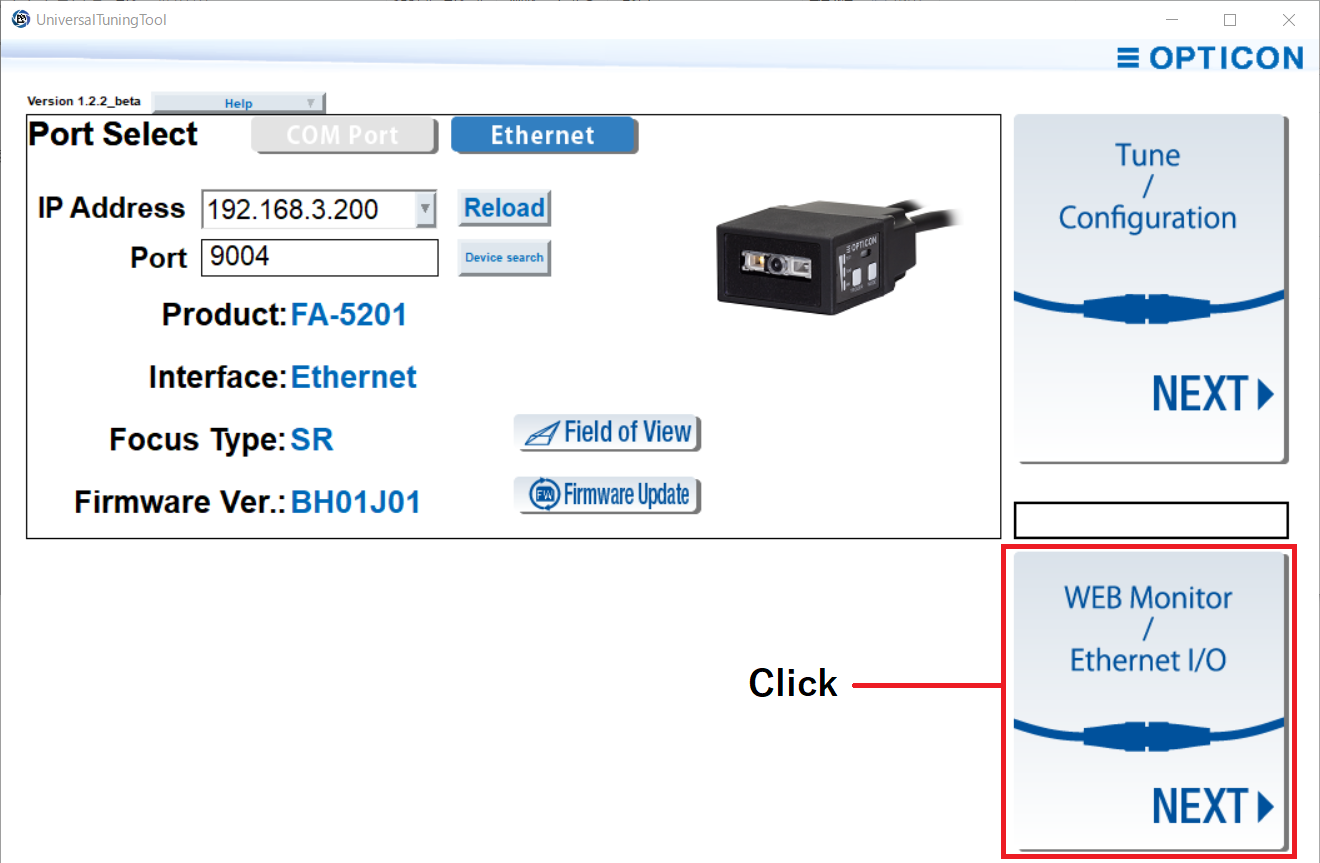
To access from the tuning window, click "To Web Monitor" in the upper right corner.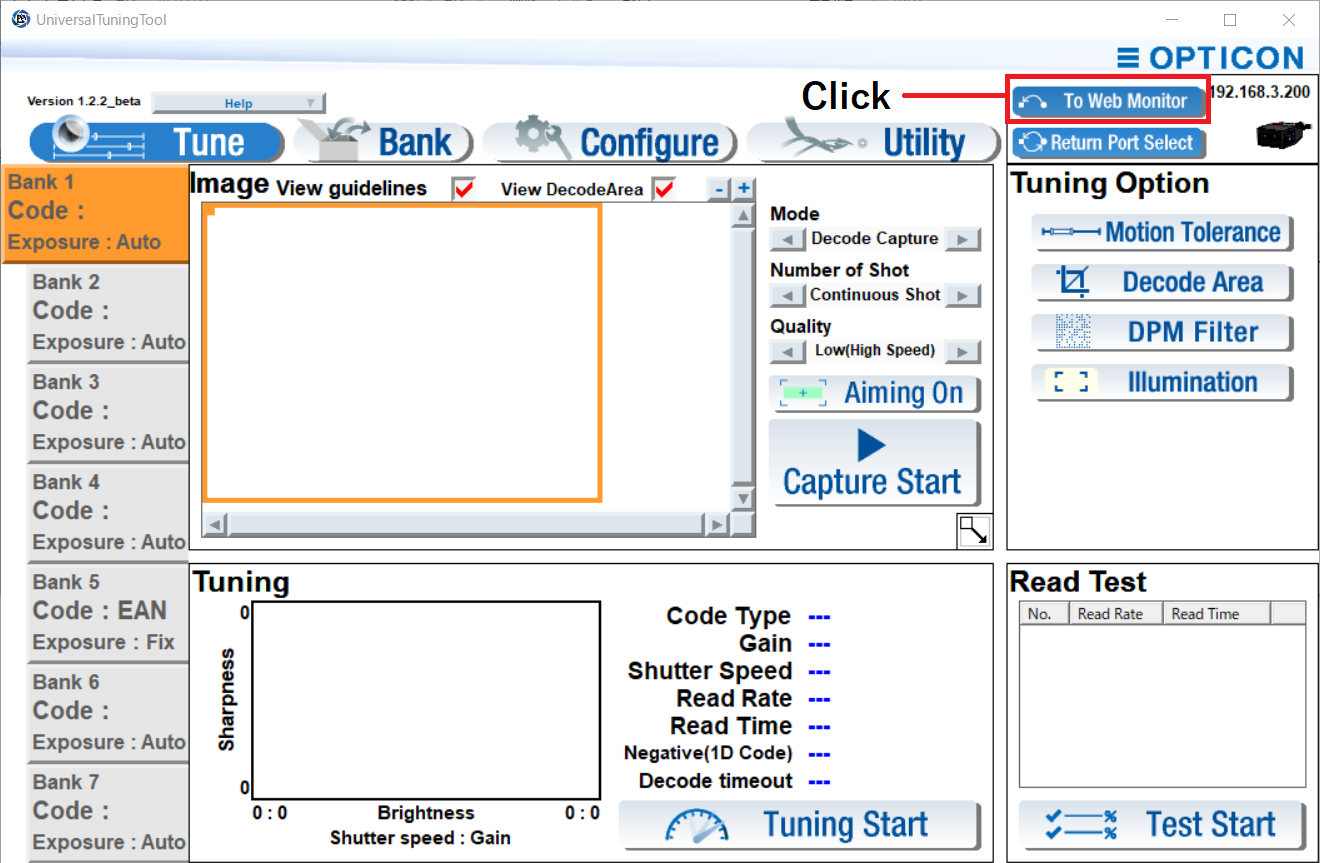
2. Direct access from a web browser.
Or, start a web browser and enter the following to URL input field: "Device IP address" + ":" + "8080"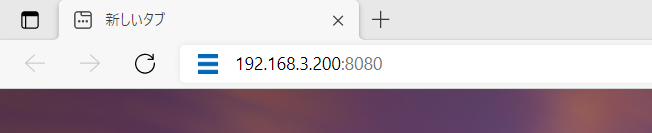
Window detail
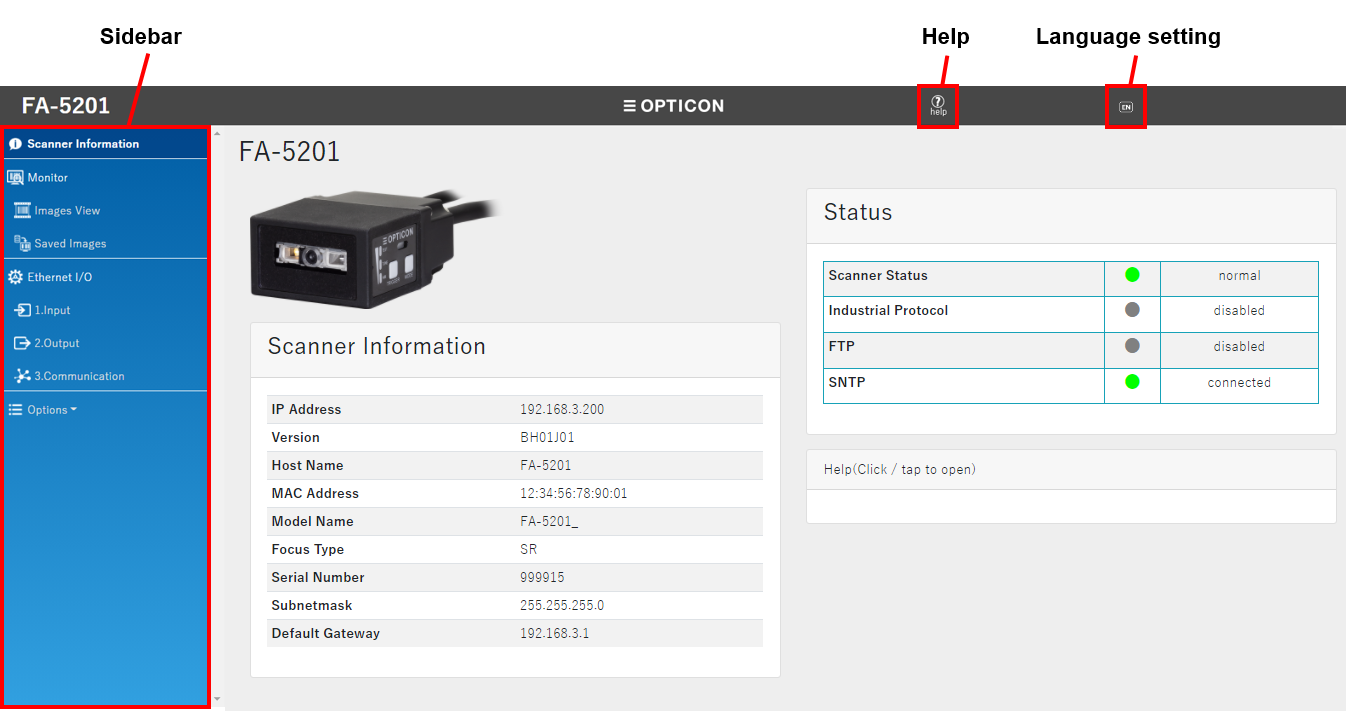
The language setting icon and sidebar on the left side described here will appear on all FA-5201 web setting pages.
| Language setting icon | Select the language of this web setting page from English and Japanese. |
|---|---|
| Sidebar | Jump to various setting pages from the sidebar on the left side of the window. |
| Help | Information about this Web and this manual can be viewed. Internet connection is required to view this manual. |
Scanner Information Status Display
On the "Scanner Information" page, you can check the connection status and operation status of the scanner.
| Target to display the status | Status name | Status |
|---|---|---|
| Scanner status | normal | The scanner is operating normally. |
| warning | The temperature of the scanner is high. There is a possibility of reading performance degrade. Consider cooling the scanner. | |
| overheat | The temperature of the scanner is very high. There is a risk of scanning stop, malfunction, or burns. Stop the operation and consider cooling the scanner. | |
| Not Available | Communication between the Web browser and scanner is interrupted and Failed to obtain the status. Please check the network. | |
| Industrial protocol | Connecting | The scanner is connected to the PLC normally. |
| disconnected | Connection to the PLC is not established. | |
| disabled | The setting does not allow communication via PLC Link. | |
| Not Available | Communication between the Web browser and scanner is interrupted and Failed to obtain the status. Please check the network. | |
| FTP | Connecting | The scanner is connected to the FTP server normally. |
| disconnected | The scanner failed to connect to the FTP server. | |
| normal | Normal connection to the FTP server is established. | |
| disabled | The setting does not allow communication with the FTP server. | |
| Not Available | Communication between the Web browser and scanner is interrupted and Failed to obtain the status. Please check the network. | |
| SNTP | Connecting | The scanner is connected to the SNTP server normally. |
| disconnected | The scanner failed to connect to the SNTP server. | |
| normal | Normal connection to the SNTP server is established. | |
| disabled | The setting does not allow communication with the SNTP server. | |
| Not Available | Communication between the Web browser and scanner is interrupted and Failed to obtain the status. Please check the network. |
Operation confirmed browzer/version
| Browzer name | Version |
|---|---|
| Windows Google Chrome | 91.0.4472.124 |
| FireFox | 89.0.2 |
| MS Edge | 91.0.864.59 |
| iPhone Safari | iOS14.6 |
| Android Google Chrome | 91.0.4472.120 |